The editing software made by an editor, for editors.
A timeline more responsive than anything you've seen, a grading page where the picture takes the whole screen, a green screen gone in one click, a first mix that makes itself: Pelicular puts all its power behind your every move. And it fits on a single screen, from your laptop to your desktop, giving up nothing of professional work.
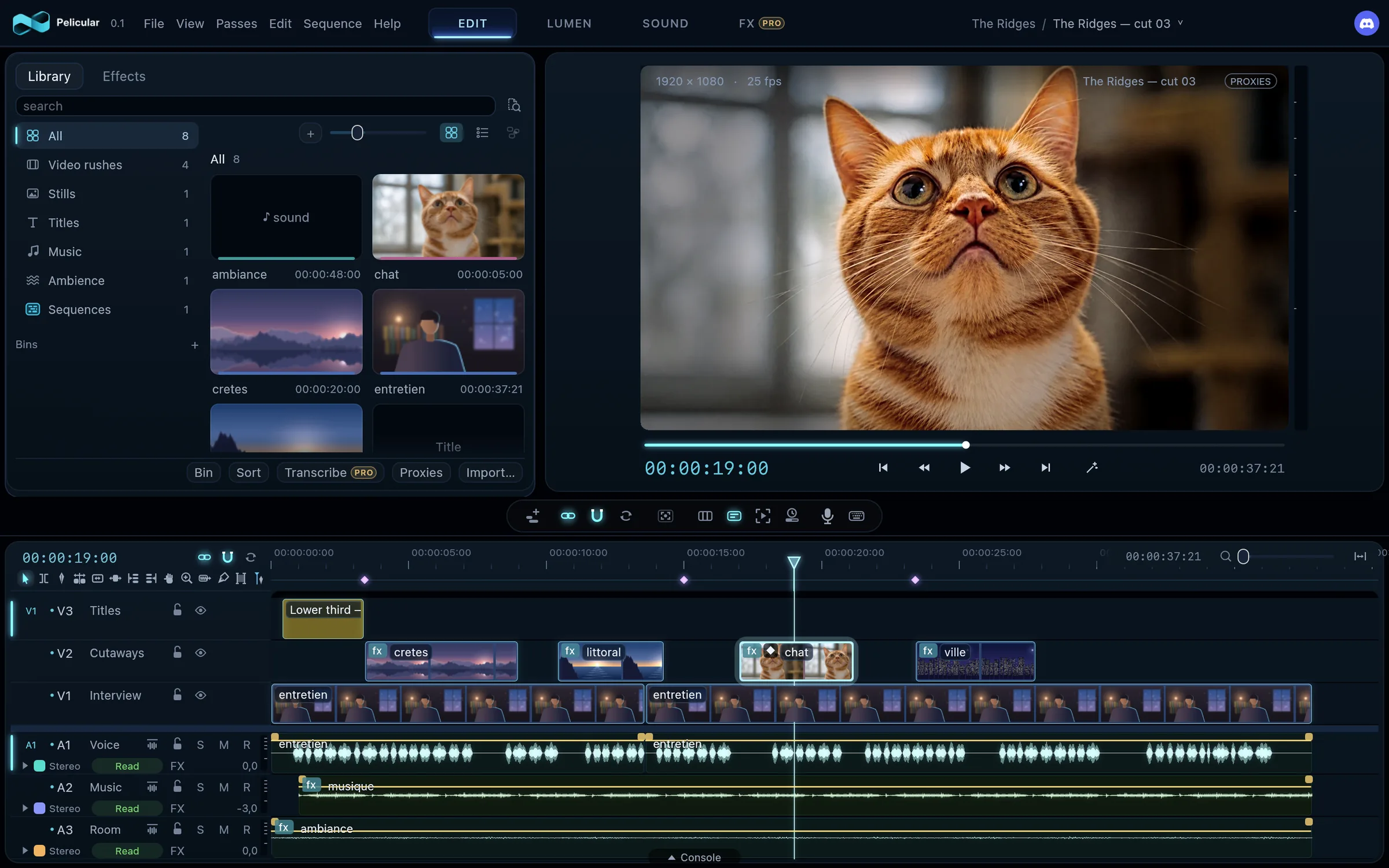
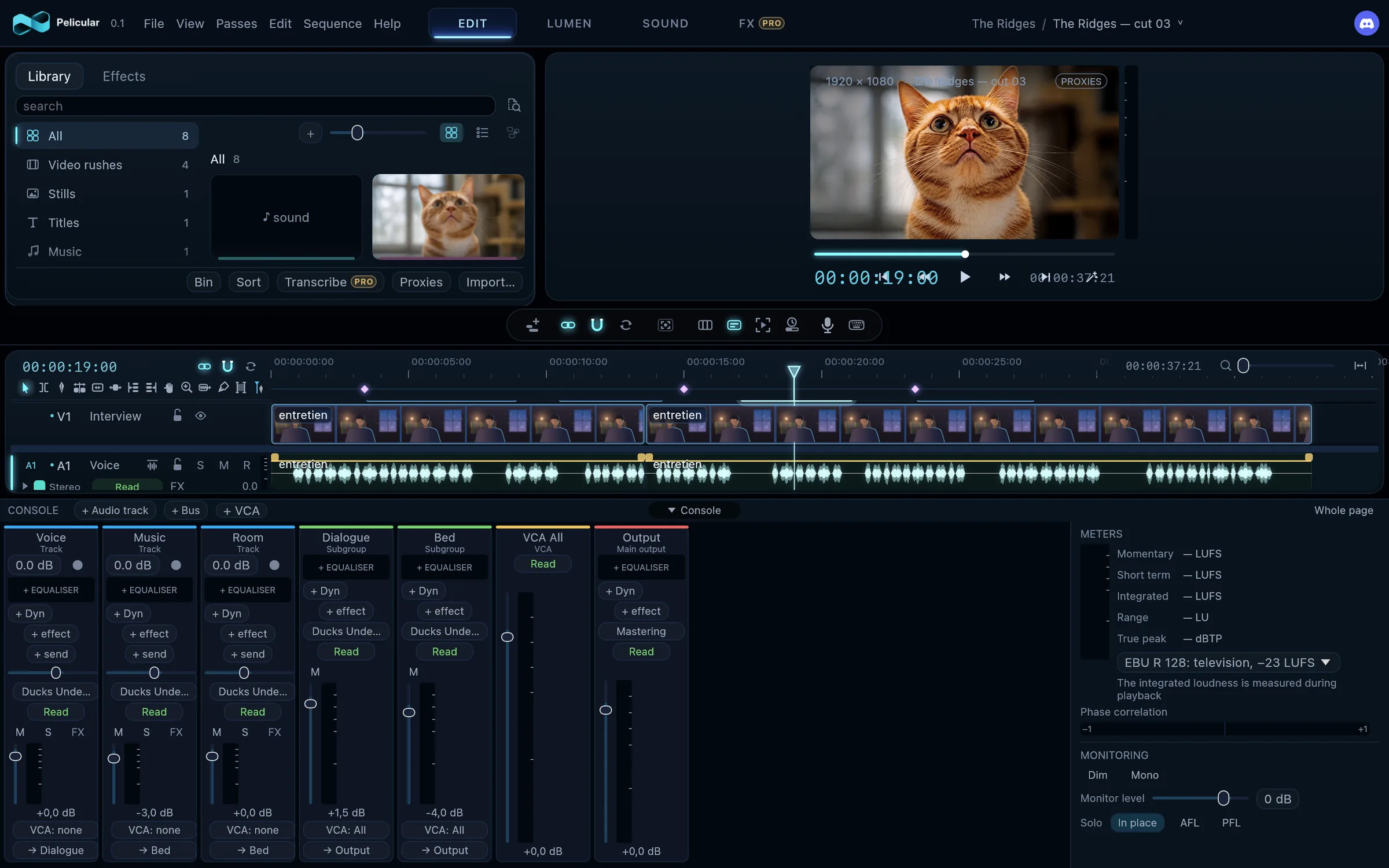
The Edit page, exactly as Pelicular draws it: a real render of the interface, on schematic footage drawn for this document and Pelicular's demo picture.
What sets it apart
Power you feel with every move.
Pelicular responds before you even think about it. Nothing makes you wait, nothing makes you doubt: you edit, and that's it.
The story behind it
No more coffee while the project loads
I mostly cut long form: 52- and 90-minute documentaries for television. A 90-minute timeline means a lot of shots, in formats that don't match, and often the slowdowns that come with them. Whatever the software, on a big project, in the morning, between the moment you launch it and the moment you can really work, you have time for a coffee and a good chat with your colleagues at the machine.
I wondered whether, with today's technology, it still had to be that way. And I remembered something very simple: a timeline is a window. You only ever see part of it. So Pelicular first loads what surrounds the playhead, which works right away, and everything else arrives in the background, without you noticing. You don't need your whole project in the first second anyway.
The result: Pelicular starts in about three seconds, and a project opens about as fast. Keep several open and move from one to the other without closing anything. A clip you drop plays right away, with no indexing or transcoding. And this timeline has an ease, a fluidity I had never felt before.
The story behind it
Unscreen ProNew
The keying tools in editing software have always frustrated me. To get a clean key, you had to go through much heavier compositing software: you can get stunning results there, but it takes time, and on a small project you don't want to spend the afternoon on it. I wanted something fast that still holds a real level of quality. Not finding what I needed, I trained my own model and created Unscreen.
Unscreen removes the green screen in one click. But that's not all: it looks at the picture. If it finds a green or blue screen, it recognises it and takes it away on its own. If there isn't one, it becomes a smart masking tool: you show it the subjects to keep, and it cuts them out.
It is only at its first version, and it already does an incredible job. Bring on V2.
A test on a 4K clip with very curly hair, rendered by Unscreen as is: nothing was set by hand. Drag the line to compare the clip on its green screen and the cut-out subject.
The story behind it
The one-click premix Pro
I am an editor, not a sound engineer. And yet, on a lot of projects, I was expected to do the mix myself, as if it went without saying. I never had time to learn to mix: it wasn't my job. So I started dreaming that it could be done with one key, and I finally made that dream come true in Pelicular.
After all, what does a premix need? A normalized voice, with a steady sound. Music filtered and equalized to leave room for the voice while staying present. Ducking. And meeting the delivery standards. I automated all of that: you just click one button.
It doesn't replace a mix by a sound engineer. But for an independent, it does a very good job. And for someone like me, working in a production company and often showing work to clients, it means an audible cut right away, without spending hours that should go to the edit.
The new generation Pro
The FX page coming will create your animations from code written by AI, and you stay in control: every animation can still be reworked by hand, keyframe by keyframe. And Pelicular's MCP server lets your AI agent drive it.
Glide System, the interface that slides
In Pelicular, nothing piles up: the spaces slide. Rest the pointer against the right edge of the window, and the inspector comes in, pushing the monitor, while the library slides out to the left; against the left edge, it comes back. The timeline always stays. Focus mode gives it more room in one click, and multicam mode clears everything away to keep only the angles and the program.
And Glide System arranges itself the way you work: you put the tabs of each space in the order you want, add some with a click on “+”, and a window lives in one place only. Each open project has its tab: copy a shot in one, paste it in another, its media and settings along. Quit Pelicular, open it again: everything is exactly as you left it.
Legolas, the curve editor
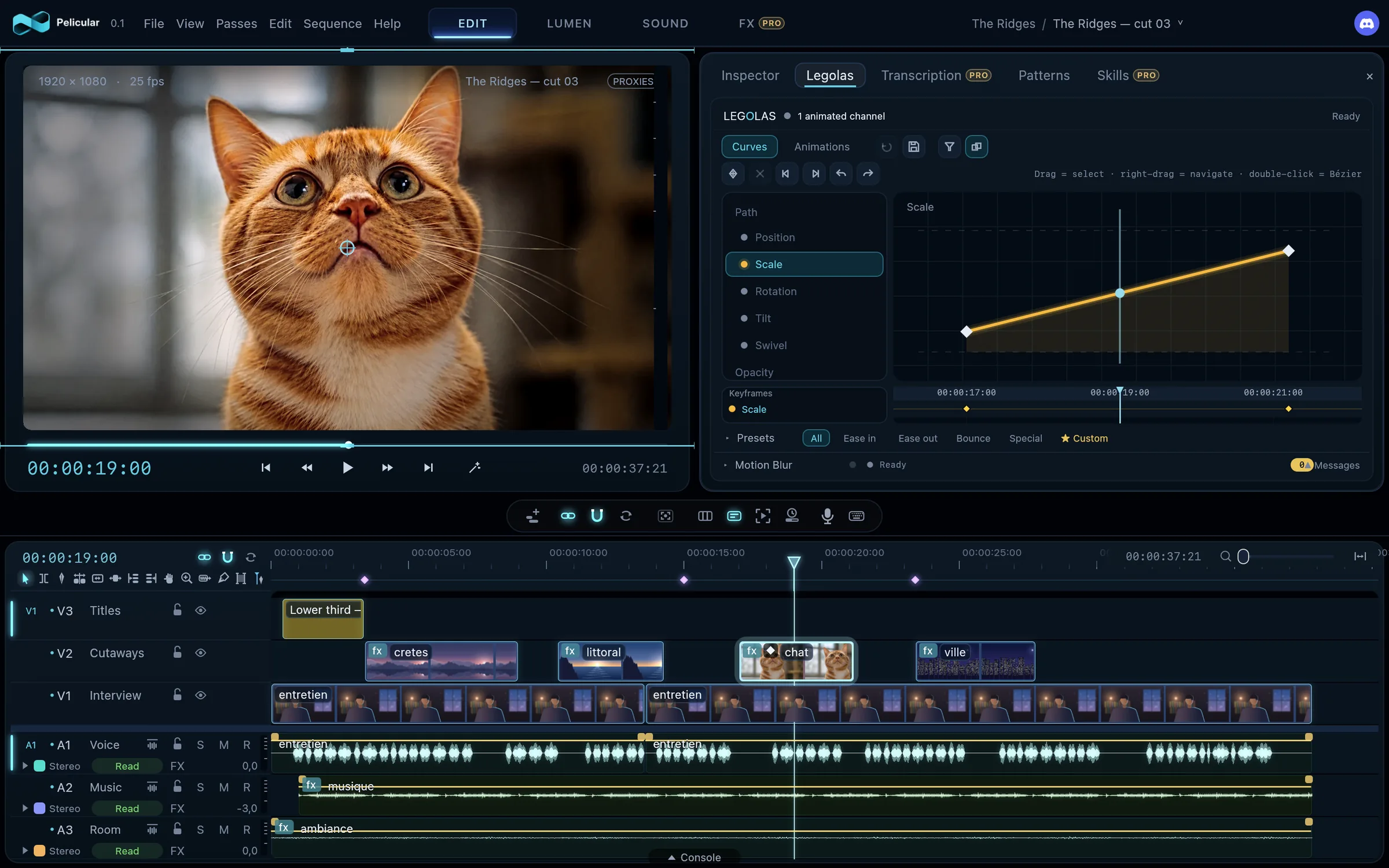
A gorgeous curve editor, right under your hand: the curves of every effect of a clip, and of two clips at once, keyframes you drag and bend into Béziers. Its presets lay an ease-in, an ease-out or a bounce in one click. And its Animations page lets you see ready-made motions before laying them: bounce, elastic, overshoot, wiggle, shake, pulse, spiral, orbit, and your own, kept for later.
Pippin, the recorder, inside Pelicular
I made Pippin to record my own tutorials. It now lives inside Pelicular, as a tab beside Legolas: one or two screens, the camera, each mic and the system sound, all at once. When you stop, the take is already in your project: its files in a bin, and a synchronised sequence, open in the timeline. If you know Pippin, you'll find its interface just as it was.
The zoom that follows the mouse and the on-screen keys Procoming will follow.
Three pages, one timeline
No switching apps to mix or grade.
The timeline stays where the work happens. Lumen, the grading page, and Sound, the mixing page, open without loading, on the clip you were on; one key brings the console up at the foot of the Edit page.
LUMEN
Lumen: the picture first. New
The story behind it
One night, around two in the morning, I got up to go to the bathroom. This software was already obsessing me, and right there a question hit me: when you grade, what matters most? That night it was obvious: the picture. Seeing the picture you are grading.
I have used a lot of editing software in my life, and seen a lot of grading tools. They all have one thing in common: so much interface, so precise, so professional, that the picture ends up squeezed into a small window.
So I imagined that in my own tool, the picture would take the whole screen. The interface would come on top of it, like a guest you can send away whenever you want, to enjoy your picture and judge your grade right on it. That is how Lumen was born.
Animated diagram: the tools laid over the full-frame picture; the wipe compares before and after — drag it. Bring the pointer to the bottom of the picture: the shot strip rises.
A node tree that comes down from the top of the picture: nodes go wherever you put them, in series or in parallel, and unlink without getting lost. A tree is kept under a name and applied again with one click, in any project.
Presets that read the shotPro: skin, sky, contrast, before they settle as nodes you can adjust; strong looks and film stock emulations.
Log footage brought to Rec.709 in one click, each clip from the camera its file names, then every shot balanced to sound values.
Always the original: Lumen grades the original media, never a proxy, and the picture keeps its finesse all the way to the delivered file.
The smart maskProcoming: one click on the object, and its outline follows the shot, as a window of the tree; in front of a green or blue screen, it calls Unscreen by itself. It is still being built.
The tree is built the way you think: two parallel branches mix together, and an unlinked node stops counting without being lost.
EFFECTS
Effects and compositions, native.
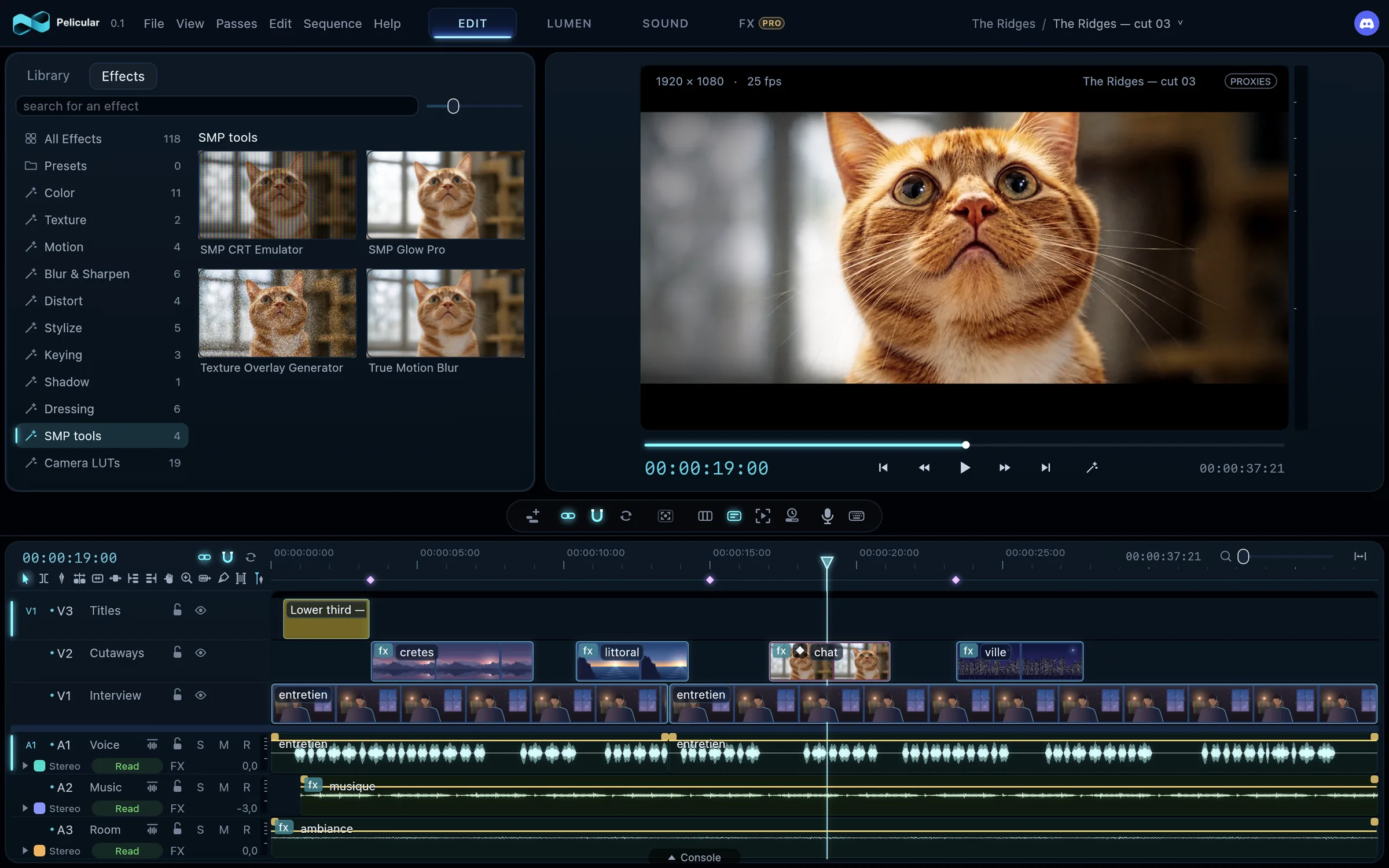
Pelicular's effects and transitions are written for it: the same picture on the monitor, in pre-renders and in the export, every setting animatable. Their window, beside the library, shows each effect on a thumbnail that plays when you hover over it.
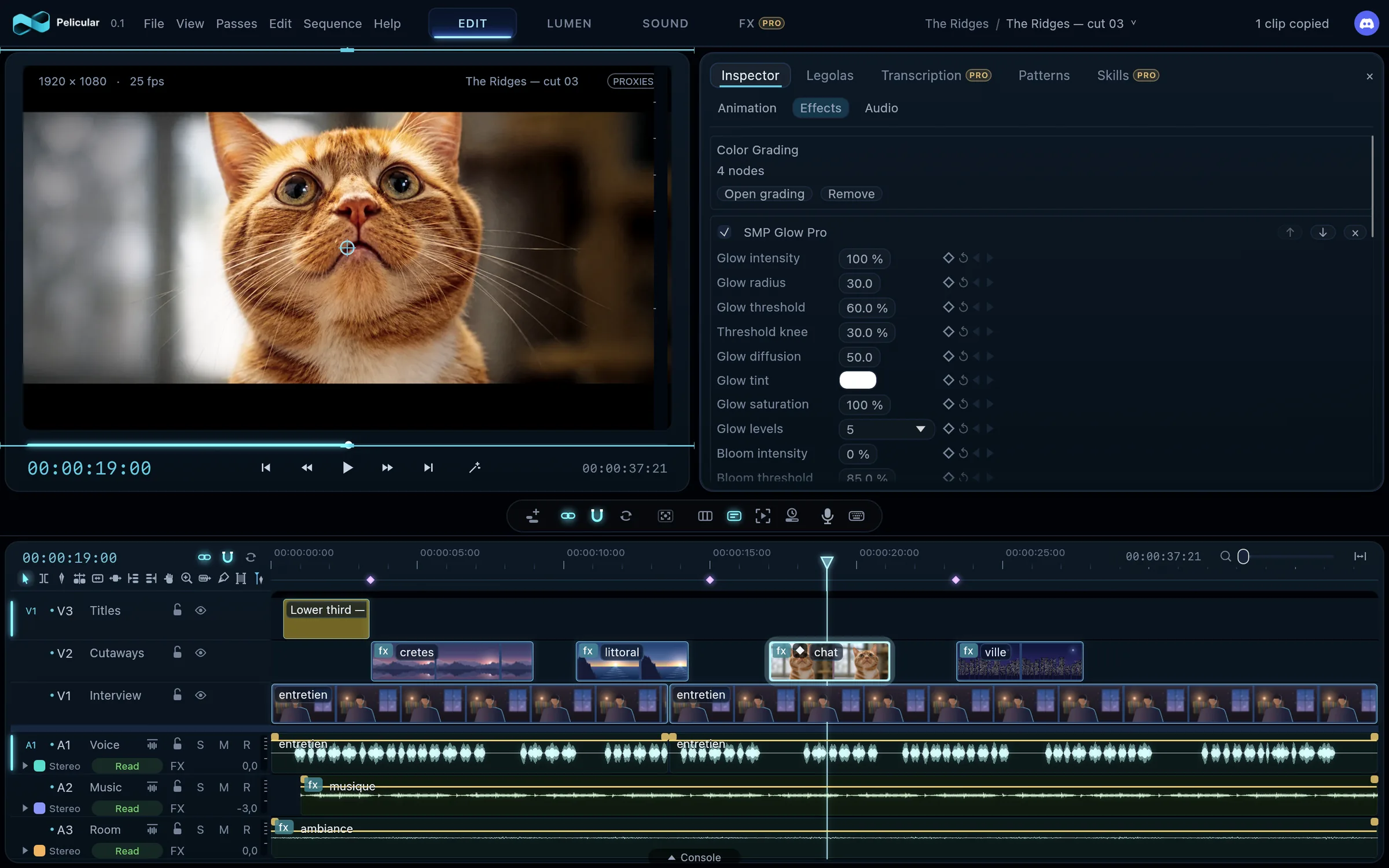
The effects tab, laid out like the library: each thumbnail drawn by the engine, the one behind the monitor and the export.A dressed shot: in the inspector, its effect stack as cards, every setting animatable.
Effects, transitions and finishing touches, computed by the graphics card, applied with a click or a drag, kept as presets for other clips.
The FX pagePro: a clip opens from the inside, in layers, with their keys and properties; a title becomes a composition you animate.
UnscreenProNew: one tool to cut out. The green or blue screen is recognised on its own and removed with no shot-by-shot setting, fine hair kept, the screen between strands transparent again; with no screen, you point out the subject with the smart mask. An adjustable light wrap lays the light of the new background on the subject's edge.
Pelicular's transition pack, already in the software, nothing to install: Threshold Passage, Splice, Tracking Bar, Head Switching, Chemical Burn, Temps Suspendu, Whip Focus Pull, Frame Weave, Exposure Bloom and Keyhole. And never two burns alike.
The Text tool: you type straight onto the picture in the program monitor, and a text clip appears in the timeline. Stack outlines and shadows, one around the other, for stylised titles.
Zoom into the program: with the wheel, to look at your picture up close, or zoom out to see what leaves the frame and animate the layers coming in or going out.
SOUND
Sound: a premix in one click, a real console.
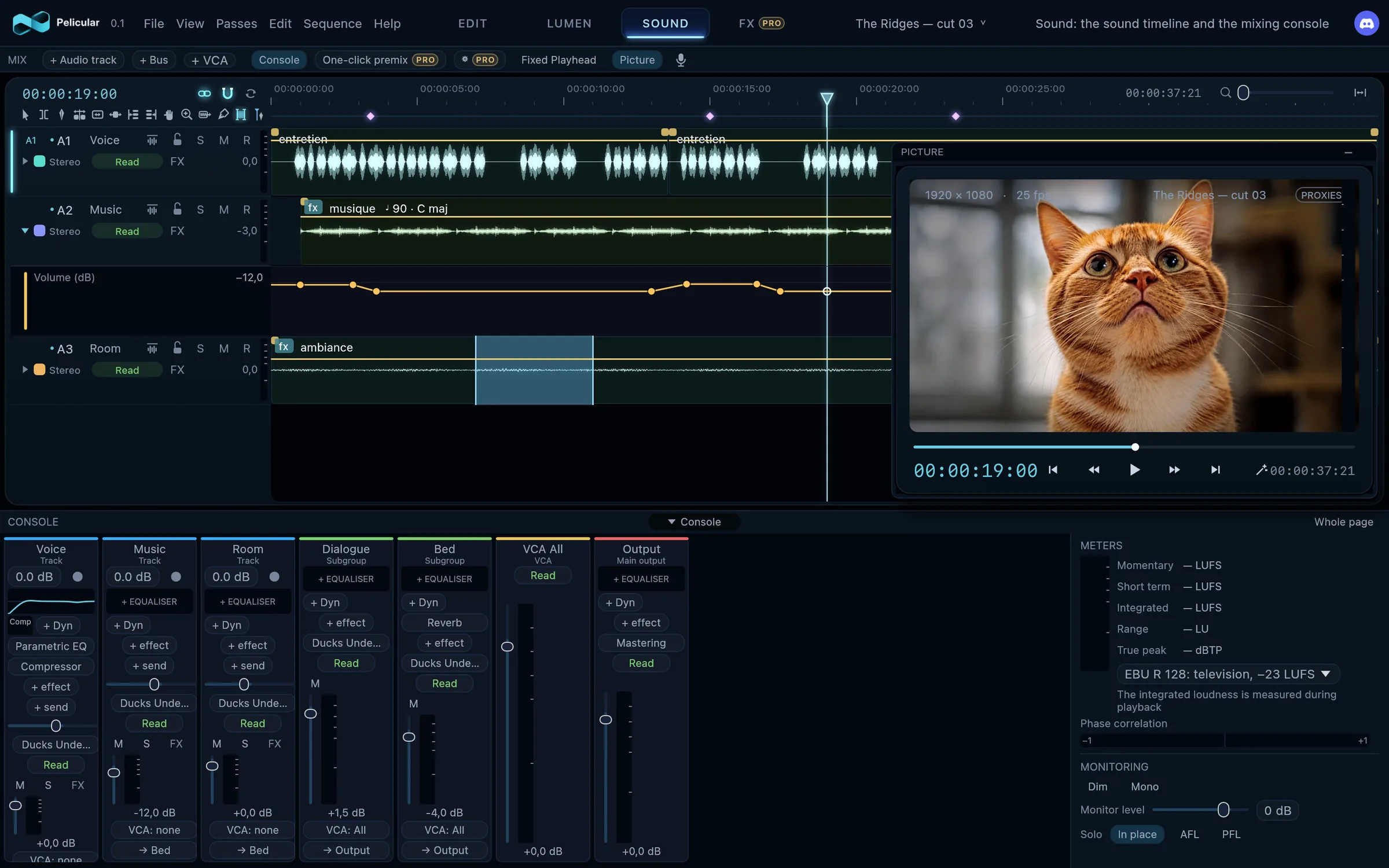
The Sound page opens the sound timeline across the whole page; the full console waits at the bottom, in its drawer, and the picture floats wherever you put it. And first, what an editor does every day before mixing: the premix.
The Sound page: the sound timeline at the top, the picture floating over it, the console out of its drawer. Under the music, its volume lane: it dips under the voice and comes back up in the silence.The same console at the foot of the Edit page: the timeline makes room and the monitors stay.
The premix in one clickPro: each track carries a theme, voice, music, sound effects or ambience. One button levels the voices to the delivery target, slips the music under the voice, carving it where speech is understood, and keeps effects and ambiences under the speech, more present in its silences. Everything is measured from the sound, laid down as ordinary settings you can adjust, and undone in one go.
The dynamic premix of the voicePro: one press, and a voice is brought to a steady level, phrase after phrase. Pelicular writes its volume curve in the timeline, for you to retouch by hand: you reach the mix with a voice already clean.
A real console: buses, VCAs, sidechain, automation, loudness meters against the delivery target, monitoring.
The key and tempo of the musicProNew: found in the sound, like the note of each sound effect; one piece of music taken as the reference, and the other music and the sound effects harmonised to its key, in one click.
Music split into stemsPro: drums, bass, vocals and the rest, each on a track of its own, right under the music, as a free clip: cut it, move it, put it out of sync, set it without touching the others. The original clip stays, disabled, for comparison.
UnnoisePro: a voice cleaned in one gesture, the room's noise and reverberation taken away, the pauses silent without cutting the words, in playback as in the export.
When the voice speaks, the bed bus comes down on its own: the sidechain does the work.
What changes
What you won't find anywhere else.
I compared Pelicular with the editing software we all use, in their latest versions. Here is what only it does, as of late October 2026, and what it brings to make an editor's day lighter.
Only in Pelicular New
The screen recognised on its ownPro: Unscreen sees that a shot was filmed on a green or blue screen and removes it, with no eyedropper and no setting. Elsewhere, you still pick the screen's colour.
Your music in tune togetherPro: Pelicular finds the key of your music and the note of your sound effects, then harmonises them in one click to a reference track.
Your Premiere Pro and DaVinci Resolve projects opened as they are: Pelicular reads the .prproj and the .drp itself, without the original software and without going through an interchange format.
Your projects and your keys come with you
A Premiere Pro or DaVinci Resolve project arrives with its bins, sequences and media, and Pelicular tells you what it could not bring across. And the keyboard shortcuts of Premiere Pro and DaVinci Resolve are there, in one click.
The library always stays tidy
Every clip files itself as it arrives: video rushes, stills, titles, music, ambiences, sequences. Smart sorting then measures the sharpness, exposure and movement of every shot, with no AI model, and flags what is blurred, dark or shaky.
A crashing plugin doesn't take your edit down
Your plugins run apart from Pelicular: if one of them falls over, it falls alone. Your edit stays open, and you have lost nothing.
Editing figures Procoming
Your way of editing, written in a readable file: rhythm, transitions, limits. Pelicular will always apply it the same way, as a preview and then in a single undo, and learn from your corrections without leaving your limits.
Talk to Pelicular Procoming
You will say or type what you want, in an editor's own words: the command it understood will show before it runs, anything far-reaching will wait for your go-ahead, and everything will be undoable. And you will choose the model that understands you: Claude, ChatGPT, Mistral, Gemini, DeepSeek and others through an aggregator, or a model running on your own machine, sending nothing out. It is being built: not ready yet.
For whom
For independents and creators, long form and short.
Where it comes from
I come from documentary. More than twenty years in television, and above all in documentary: huge amounts of footage, very busy timelines, and the habit of tools built to handle all that. Pelicular was designed from the start for very big projects: I put into it everything those years taught me.
But I am also a content creator. I know what creating for the web needs: YouTube videos, short formats, horizontal as well as vertical. Pelicular is made for both.
Independent editors
One piece of software to edit, grade, mix and deliver, on a single screen if need be: a laptop is enough.
Content creators
Your long videos, your shows and your short formats: footage that plays at once, clean sound in one click, a polished picture without leaving the timeline.
Editors for creators and social media
Long formats and short formats, one after the other: vertical, square or 4:5 sequences ready in one move, and your projects brought over from wherever they come from.
Where Pelicular stands
What is here, what is coming.
I build Pelicular in steps: each one is tried on Mac and on Windows, then I put it to the test on my own footage.
Today
Deliver while you edit: exports run in the background, the picture untouched from source to file, with HDR and 4:4:4 Pro for demanding deliveries.
Exchange with other software through the usual formats: EDL, XML, OpenTimelineIO, AAF.
Subtitles drawn from the transcript, checked against the delivery.
ProductionsPro: several editors on the same sources, with their locks and their versions.
Multicam: a nested clip becomes multicam, each track an angle; you pick the angle on the numeric keypad, live as it plays, in a mode that sets the angles beside the program.
Next coming
The Delivery page: every export setting, presets for the platforms, and publishing in one click Pro, sound tracks split by theme.
ShortsPro: short vertical formats drawn from the video you are delivering.
Export with the alpha channel, to drop a cut-out shot into another edit.
And what is marked “coming” above: the assistant, the smart mask, the editing figures.
Two versions
Free to edit. Pro to go further, with no subscription.
To me, an editor should be able to work on quality software without paying anything: so the free version of Pelicular is complete.
Pelicular
Free and fully functional: you edit, grade in Lumen and mix in the Sound page, without paying anything.
Pelicular Pro
At an affordable price, with no subscription: you buy a lifetime licence, updates included. It adds everything that bears the Pro badge on this page: the FX page, the assistant and artificial intelligence, and the advanced tools.
The beta, coming soon coming
To try it, there's the beta, coming soon: for as long as it lasts, Pelicular is free, with all its features, Pro ones included. Join the waiting list to hear as soon as it's out.
Waiting list
Want to hear as soon as Pelicular is available?
Leave us your address: we'll keep you posted as soon as you can try it. You can unsubscribe at any time.
 Pelicular